


 9.3k
9.3k33 Comments
Next up
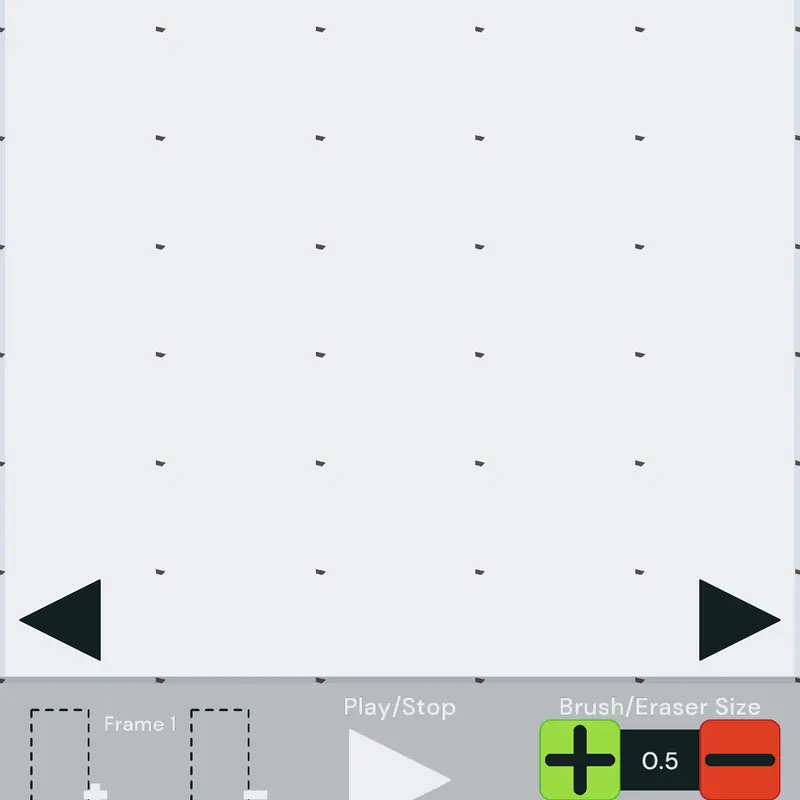
Castle Animating Deck
I actually made this in under a day in 9 hours I should go to sleep
More from @Triploonic ↓
guide:
-Brush Size and Brush Opacity: self explanatory
-Brush Tool: Select to draw things.
-Eraser Tool: Erases drawings. Eraser size depends on brush size
-Play Button: Plays your animation, speed depends on FPS, Tapping it again will stop the animation
-FPS: How many drawings are in a single second, if you have 10 FPS you'd need to draw 10 drawings for a single second.
-Frame Adder: Adds a frame after the frame your currently on. Copies the drawing on that frame.
-Frame Remover: Deletes the frame your currently on.
-◀️ and ▶️ buttons: Switches through frames.
-Color: Changes brush color
-You can hold down on the + and -, and the ◀️ and ▶️ buttons.
-When adding frames, onion skin sometimes aren't there for some reason. To fix this play and stop the animation.
-If you can't draw anymore, that's because you reached the castle actor limit of 2000 actors. Nothing I can do about the limit, but I'll add an option to disable onion skin which literally doubles the amount of drawings
 3Reply
Endless limbo
7Reply
I love animating
3Reply
One of the only animation in comments
2Reply
My art teacher:MAJESTIC
 2Reply
 2Reply
More from @Triploonic
Mess with the Noob with Roblox admin commands@Triploonic
Pathfinder Bots v1.2@Triploonic
Paint Deck | Version 0.1@Triploonic
Slime Deck | v0.5 | Update: 1 New Item, Ban...@Triploonic
This is a "Gem Seller" deck.@Triploonic
This deck is made for the castle firework...@Triploonic
pivot thingy I actually made this in under a...@Triploonic
Orbit thingy you can use it@Triploonic