


 12.5k
12.5k46 Comments
Next up
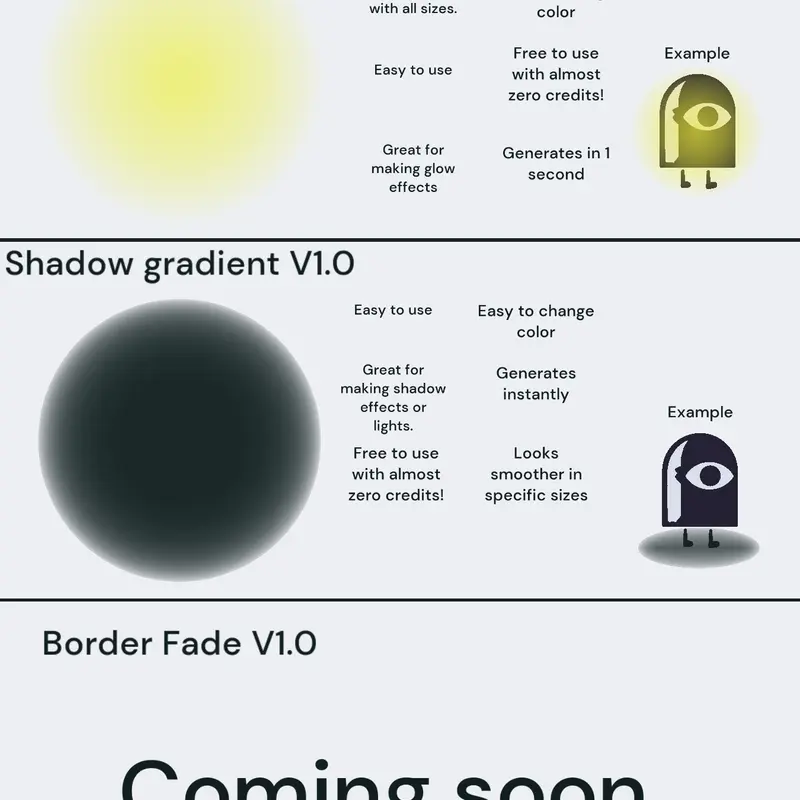
Circle gradient. Feel free to use as long as you dont remove creditation in rules. #glow #effect #gradient #freetouse
More #gradient games ↓
may I ask what you are currently working on?
 3Reply
I am going to start working on a V2 of this actor, that will fix a lot of bugs and make it look good in smaller sizes, while fixing consistency in sizing and opacity. So expect that some time soon.
6ReplySorry I didn't do that much testing with this so I didn't realize that you couldn't rotate it as an ellipse. So you can now rotate ovals! Also if nobody noticed it fixed the layering issues too ;>
5ReplySUPER improved Version 2.0
• now 100% consistent in every size. Adjusts how it generates to the initial size of the actor.
• Goodybye lag-reduction, New DETAIL variable that works the same as the normal funkysquad gradient!
• Fully reworked coding to be more complex and versatile with the opacity, just change the variables to how you like it and the actor should work however you want it too!
Please report any bugs, becuase i javent done much testing. Have fun!
4ReplyGuess who finished their project (it was me) The New shadow feature is very experimental and free for everyone to use. Reporting bugs is highly appreciated. Please let me know any trouble you have with this. THANK YOU!
3ReplyThis isnt an update is just want to point out that it doesn't necessarily need to be a circle! Try playing with other shapes, and the position of the art from the center of the actor too!
3ReplyMore #gradient games
Powers of three band 1 repowered@Billy594-rebirth
Ultimate Gradient Creator@Equinoxe
Rainbow@Payu0001
bouncy guy@toddbutpopbob
For: @YourLocalBirdMan it's easy to recreate...@-VehiProject-
Gradient free to use@DucTuanNguyen-1992
Balls factory@saisanaw
chubby simple@ItsSimplee