


40 Comments
Next up
Castle Tutorial #1: Custom Colors
#cli #tutorial #castle #something550 #fullcolor #fullcolors #customcolour
More #tutorial games ↓
Here's the extended version: https://s.castle.xyz/-QEP5Lj4M2ks
 1Reply
There's also a way to make custom colored text!
Make a new text blueprint/actor, then add new script. Make sure the script is "my.text.color = { r = ?, g = ?, b = ? }".
2Reply
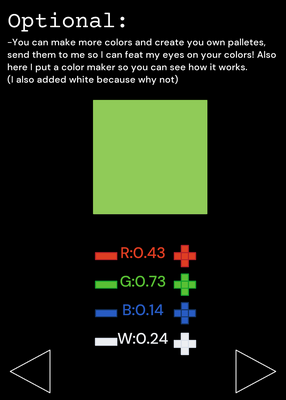
we need pallet freedom cause i didn’t join any events (EXCEPT for Longcabin and The Spring Event in my old account)
 2Reply
LUA CODE:
function rect(x, y, w, h, r, g, b)
castle.draw.setColor(r, g, b, 1)
castle.draw.rectangle("fill", x, y, w, h)
end
function onDraw()
-- 1:1 area
local x = -0.5
local y = -0.5
local w = 5
local h = 1
local barW = w / 5
-- Top bars
local topH = h * 1
rect(x + barW*0, y, barW, topH, 0.??, 0.??, 0.??)
end
- the "??" are for you to fill with numbers.
2Reply
Thank you
1Reply
Something550 where is the chat button ending game 2?
1ReplyMore #tutorial games
Y'all keep asking how I animate, well here...@TyrhanFurri
CLIIIIIII!!!!!!!!!!!!@W1nd0wsXp_ALT
FakeCli@Officials_BieB5
Como 2 Difuminar credits to SenorL@DoctorGe1985
Minecraft Tutorial Tags: [ I worked 2 days...@basketballer
Tutorial how to make your own pallette@Vercool
game topball@rizwanazar
Text to speech tutorial@raw-goose661