


Free so go use it
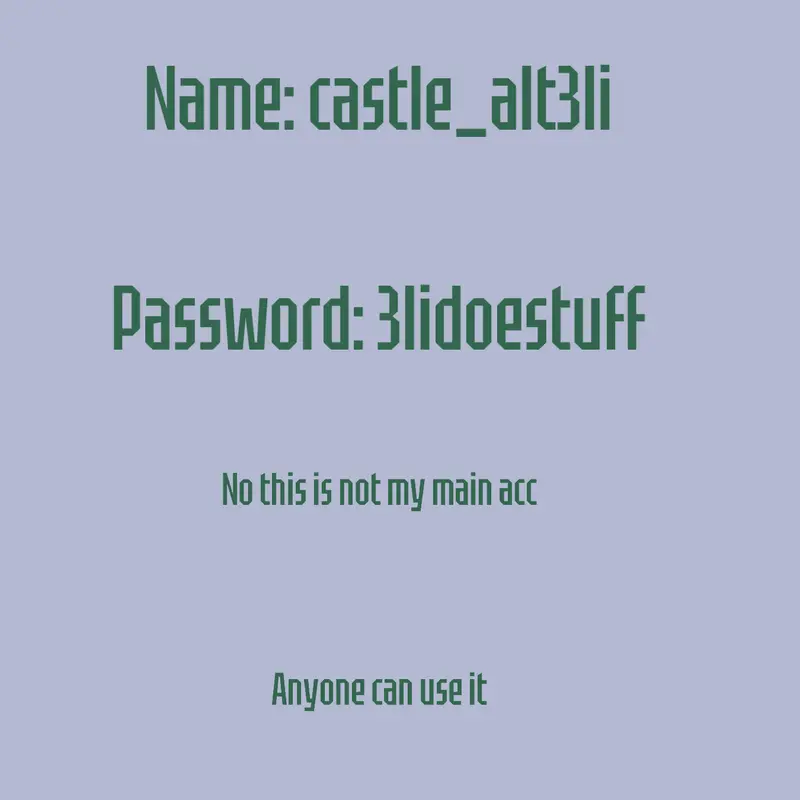
 402
4022 Comments
Next up
Free so go use it

Bro what
Reply

```
import pygame
import sys
Initialize Pygame
pygame.init()
Set up some constants
WIDTH = 600
HEIGHT = 400
SPEED = 2
Set up the display
screen = pygame.display.set_mode((WIDTH, HEIGHT))
Set up the object
object_x = 0
object_y = HEIGHT // 2
object_width = 50
object_height = 50
Game loop
while True:
for event in pygame.event.get():
if event.type == pygame.QUIT:
pygame.quit()
sys.exit()
# Move the object
object_x += SPEED
# Check if the object has moved off the screen
if object_x > WIDTH:
object_x = 0
# Draw everything
screen.fill((0, 0, 0))
pygame.draw.rect(screen, (255, 255, 255), (object_x, object_y, object_width, object_height))
# Flip the display
pygame.display.flip()
# Cap the frame rate
pygame.time.Clock().tick(60)
`
Reply