


 295
2955 Comments
Next up
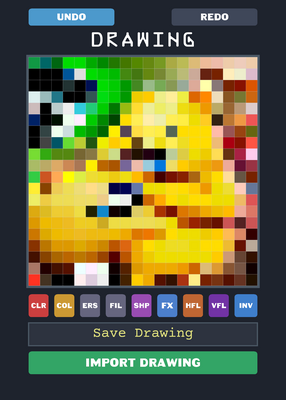
Drawing! | Tags: #lua #draw #drawing #drawingdeck
More #draw games ↓
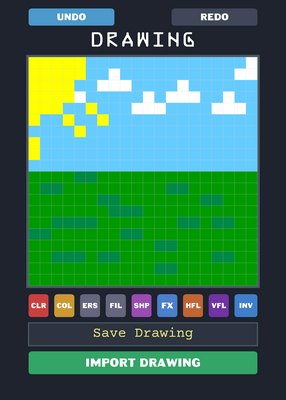
Hello! This Is How You Save Drawing Tutorial!
Step 1: Click Save Drawing Button This Shares The Base64 Drawing!
Step 2: Copy The Shared Text!
Step 3: Visit This Web: https://file.garden/aRMBv2dQMCKHp70a/base64draw2img.html
Step 4: Paste The Input Of Base64 Draw Code
Step 5: Remove The castle.xyz Url So It Does Not Error.
Step 6: Click Convert To Image And You Have The Real Image!
Enjoy To This Deck!
Reply

AAAAAAAAAAAAAAAAAAAAAAAAAAAAAAAAAAAAAAAAAAAAAAAAAAAAAAAAAAAAAAAAAAAAAAAAAAAAAAAAAAAAAAAAAAAAAAAAAAAAAAAAAAAAAAAAAAAAAAAAAAAAAAAAAAAAAAAAAAAAAAAAAAAAAAAAAAAAAAAAAAAAAAAAAAAAAAAAAAAAAAAAAAAAAAAAAAAAAAAAAAAAAAAAAAAAAAAAAAAAAAAAAAAAAAAAAAAAAAAAAAAAAAAAAAAAAAAAAAAAAAAAAAAAAAAAAAAAAAAAAAAAAAAAAAAAAAAAAAAAAAAAAAAAAAAAAAAAAAAAAAAAAAAAAAAAAAAAAAAAAAAAAAAAAAAAAAAAAAAAAAAAAAAAAAAAAAAAAAAAAAAAAAAAAAAAAAAAAAAAAAAAAAAAAAAAAAAAAAAAAAAAAAAAAAAAAAAAAAAAAAAAAAAAAAAAAAAAAAAAAAAAAAAAAAAAAAAAAAAAAAAAAAAAAAAAAAAAAAAAAAAAAAAAAAAAAAAAAAAAAAAAAAAAAAAAAAAAAAAAAAAAAAAAAAAAAAAAAAAAAAAAAAAAAAAAAAAAAAAAAAAAAAAAAAAAAAAAAAAAAAAAAAAAAAAAAAAAAAAAAAAAAAAAAAAAAAAAAAAAAAAAAAAAAAAAAAAAAAAAAAAAAAAAAAAAAAAAAAAAAAAAAAAAAAAAAAAAAAAAAAAAAAAAAAAAAAAAAAAAAAAAAAAAAAAAAAAAAAAAAAAAAAAAAAAAAAAAAAAAAAAAAAAAAAAAAAAAAAAAAAAAAAAAAAAAAAAAAAAA
Reply

Cool
Reply
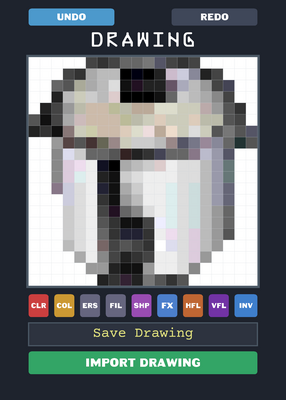
Fun Fact: You Can Import Real Images On This Deck By Just Visiting Web: https://file.garden/aRMBv2dQMCKHp70a/img2base64draw.html And Choose Any Image File You Want
Reply
More #draw games
Mario paint but...@no_skills_
Dandy's world@I_Ate_Ur_School
Dandys world face paint@8Lemin_angelic8
Dhrowin Araun@Your-Local-Makita
Drawing game but my take@likestudios2_Official
Quality deck@orbital_
Modified Drawing@ar95R
60 colors draw@english_cube